
Record it your way.See it as it is.
Log a meal by photo, description, barcode or by hand. Notura turns it into calories and nutrition you can check — and where it cannot be sure, it says so.
Notura is not in the app stores yet.
- Google Play Coming soon
- App Store After the first release
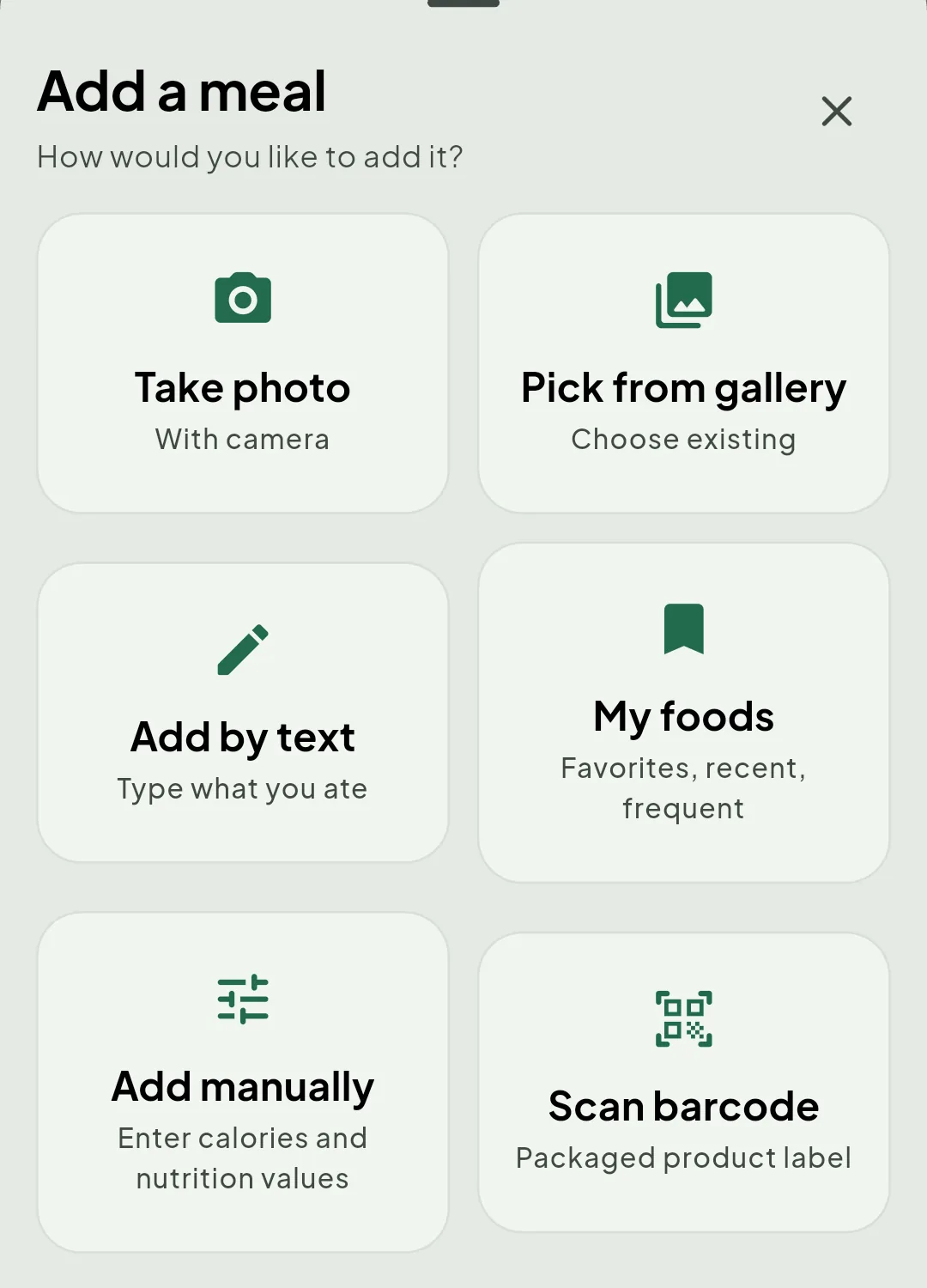
Six ways to put a meal in.
Photograph it, describe it, scan the package, reuse something you saved, or type the numbers yourself. The one you reach for is the one that suits the moment.
-
Photograph the meal
Point the camera at your plate and review the foods Notura identifies before saving.
-
Use a photo you already took
Pick an image from your library when you photographed the meal earlier.
-
Describe it in your own words
Write what you ate in ordinary language, including portions when you know them.
-
Reuse a saved food
Return to your own saved foods, favourites and the built-in catalogue for meals you repeat.
-
Enter the numbers yourself
Type calories and nutrition values directly when you already know them and want precision.
-
Scan a package barcode
Look up a packaged product and check the label information that comes back.
Whichever way you choose, the entry stays yours to check and change before it is saved.
Useful context, without turning every meal into a score.
See calories and macronutrients next to your daily targets. Incomplete estimates stay visibly incomplete instead of pretending to be exact.
Notura shows what it could not work out rather than filling the gap with a confident number. An incomplete day means the figure you have left is an upper limit, not a promise.
-
- Protein Estimated
- Carbohydrate Estimated
- Fat Not determined
-
- Protein Corrected
- Carbohydrate Corrected
- Fat Corrected
Your record, outside the app.
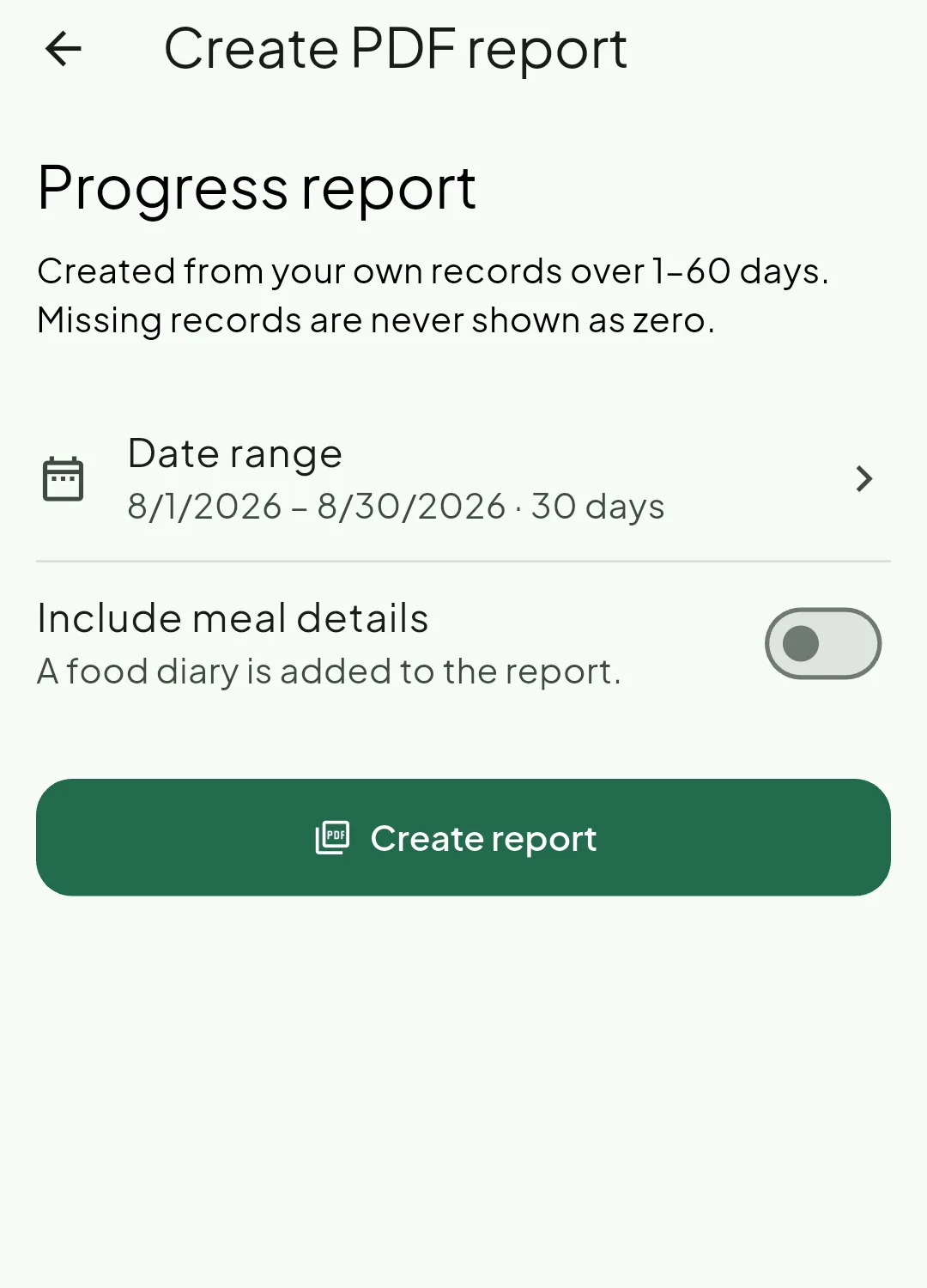
Notura builds a progress report from your own entries as a PDF — something you can read, keep, or hand to someone without opening the app at all.
One day, or up to sixty
Pick whatever range you want. A single day reads as a day; a longer stretch gains trends and a weekly rhythm once there is enough to show.
Energy, nutrition, weight, water
Calories and protein, carbohydrate and fat against your targets, hydration, how meals fall across the day, and a weight and BMI section once you have weight recorded.
Days you did not record stay empty
The report states how much of the period you actually recorded. A day you skipped is shown as a gap — never averaged away, never drawn as a zero.
The food diary is optional
Leave it off for a summary, or switch it on and the meals themselves are appended to the document.
Kept on your device
Reports you create are saved on the device under your own account, and signing out does not remove them.
A report describes what you logged. It is not a medical document, a diagnosis, or a substitute for professional advice.
- Meal sharing On, from today
- Daily goal progress Off
A friend you added
A shared meal
Leaves Community after thirty days
Shared only with the people you choose.
Community is the friends you added by email — not a public feed and not a place to be discovered. It starts switched off, and every part of it stays a decision you make.
You add friends by email
They receive a request, and nothing at all is shared until they accept it.
Sharing starts off
Meal sharing and daily goal progress are two separate switches. Turning one on leaves the other exactly where it was.
You choose where it begins
When you turn meal sharing on, you decide whether it starts from today or reaches back across your last thirty days.
Posts last thirty days
Community is a thirty-day window, and a post leaves it when the window closes. Your own diary is never touched: take a meal out of Community and the entry stays in your log.
You can stop at any point
Switch sharing off and nothing new goes out, with nothing deleted behind you. Blocking someone ends the friendship both ways, and unblocking does not quietly restore it.
When you do not know what to eat
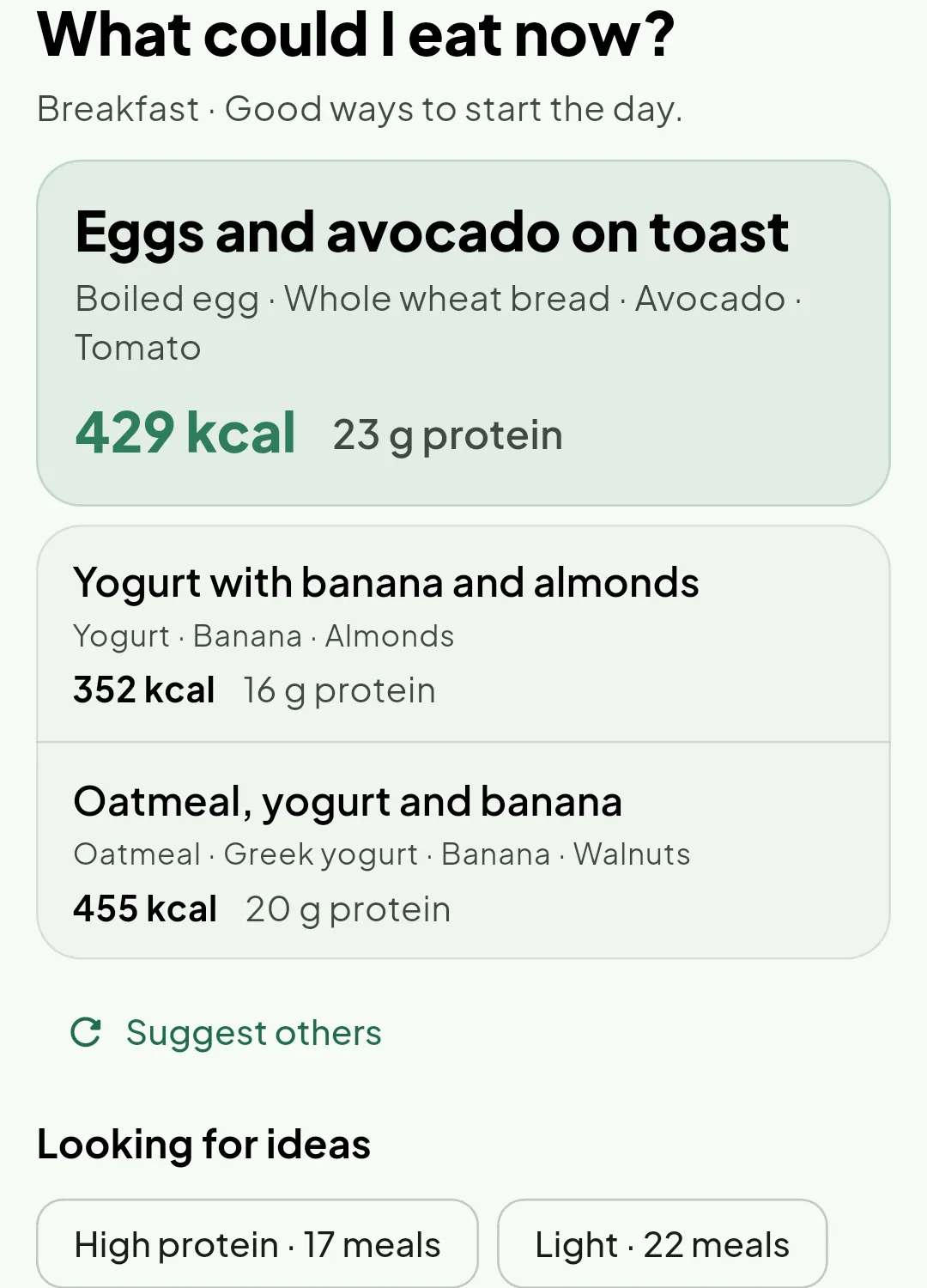
Notura works out what is left in your day and suggests meals that fit it, without turning the answer into a rule.
Suggestions that need no AI
A built-in recommender reads your remaining calories and macronutrients, works offline, and never spends your AI allowance.
AI suggestions with the limit in view
When you want a personal suggestion, Notura shows how much of your AI allowance remains before you spend any of it.
And the parts that hold it together.
None of this is an extra to be unlocked later. It is what the app already does.
Through the day
- Water, against a daily target
- Weight, with its own history
- Reminders for meals, water, weight and a daily check-in
- Meal ideas built from what is left in your day
- A recommender that works offline and spends no AI allowance
- Copy yesterday's entries into today
Over time
- Daily, weekly and monthly progress
- Your saved foods and favourites
- A built-in food catalogue that works offline
- Packaged products looked up by barcode
- Your entries synced across your devices
- Your photos of meals kept private to your account
On your terms
- Seven languages
- Metric or imperial units
- Light, dark, or whatever your system uses
- Your own calorie and macronutrient targets
- Your remaining AI allowance shown before you spend it
- Export your records into a single file you keep
An estimate you can review
Photo and text analysis can make logging faster, but AI-based nutrition results may be incomplete or wrong. Review foods, quantities and nutrition values before relying on them.
Notura supports nutrition awareness. It is not a medical device or a substitute for professional care.
See the whole thing, end to end.
From a meal you record in seconds to a month you can read, keep as a document, and share with a friend if you choose to.
Where you will be able to get it
- Google Play Coming soon
- App Store After the first release
There is nothing to install today. When the app is published, the listing link appears here.