
From what you ate to a view you can use.
The useful part is not the first estimate. It is the short review that turns it into a better record.
-
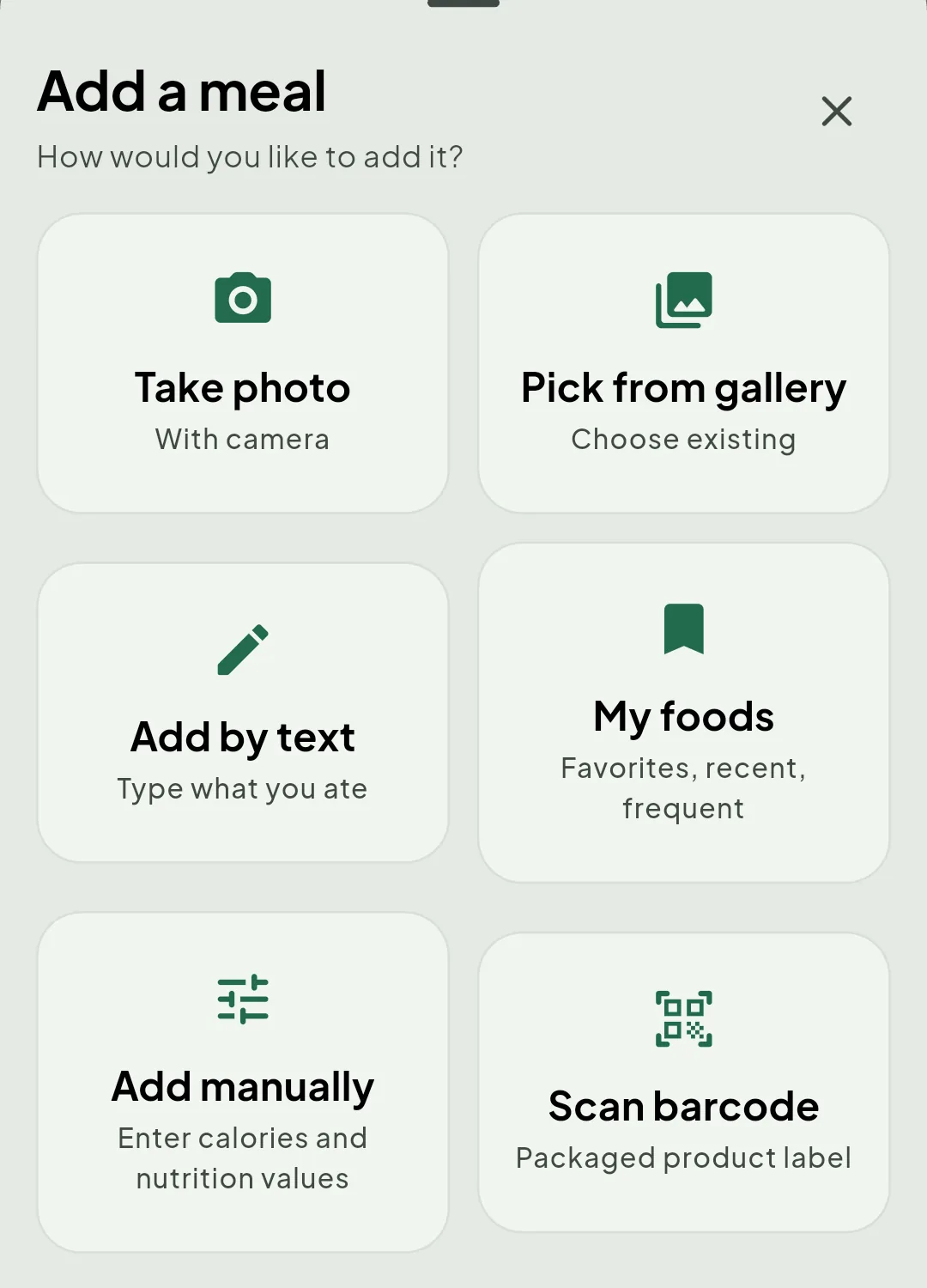
Add what you ate
Photograph the meal, pick an existing image, describe it, scan a package, reuse a saved food or enter the values yourself.
-
Review the result
Check the recognised foods, quantities, calories and macronutrients. Missing information stays visible.
-
Adjust the details
Change foods, portions or nutrition values when the estimate does not match what you know.
-
- Protein Estimated
- Carbohydrate Estimated
- Fat Not determined
-
- Protein Corrected
- Carbohydrate Corrected
- Fat Corrected
-
See the wider pattern
Use the day view, then revisit weekly and monthly progress alongside water and weight records.
-
Keep the record
Turn any stretch of days into a PDF progress report you can read outside the app, keep, or hand to someone.
-
Share it, if you want to
Community stays off until you switch it on, and it only ever reaches friends you added yourself.
Your correction is part of the process
A photo, sentence or barcode is a starting point. Packages vary, recipes differ and AI can make mistakes, so Notura keeps review and adjustment in the flow.